Getting started
From an empty account to a running app takes one conversation. This page walks the exact path, including the two places the agents stop and wait for you, and shows the real screens rather than describing them.
Last updated 2026-10-02
1. Create an account
Sign up at my-app.engineer with an email address and a password of at least 8 characters, or with Sign in with Google. No card at any point in the trial.
The form also asks for a company name, the country the business is registered in, and a VAT number. All three are optional — but the VAT number decides how you are taxed, so an EU business that leaves it blank is charged VAT it could have reverse-charged. It is checked against VIES, the EU's own register, when you leave the field.
The username derived from your email becomes the middle part of every app URL you create:
https://<app>.<your-username>.my-app.engineer
→ for example, on the account these screenshots come from:
https://deskwork.mavicpro-fan.my-app.engineer
Your workspace is provisioned in the background and usually takes about a minute. The Open Builder button in the header carries a dot that is amber while that is happening and green once the workspace answers over HTTPS. Clicking it early does not give you a broken page: it drops you on Explore, where the provisioning banner is.
2. Describe the app
The builder is a separate app on your own subdomain: https://<your-username>.my-app.engineer/. It opens on one box — What do you want to build? — with five build types above it: Website, Webshop, SaaS app, CRM / tool and WordPress. The first four produce code the agents write. WordPress is real WordPress, installed on your cluster, and goes through the same manager and the same build page.
Specific beats clever. "a booking page for my barbershop with three chairs, 30-minute slots and email confirmation" gives the model enough to decide a database engine and whether to turn on transactional email; "a booking app" does not.
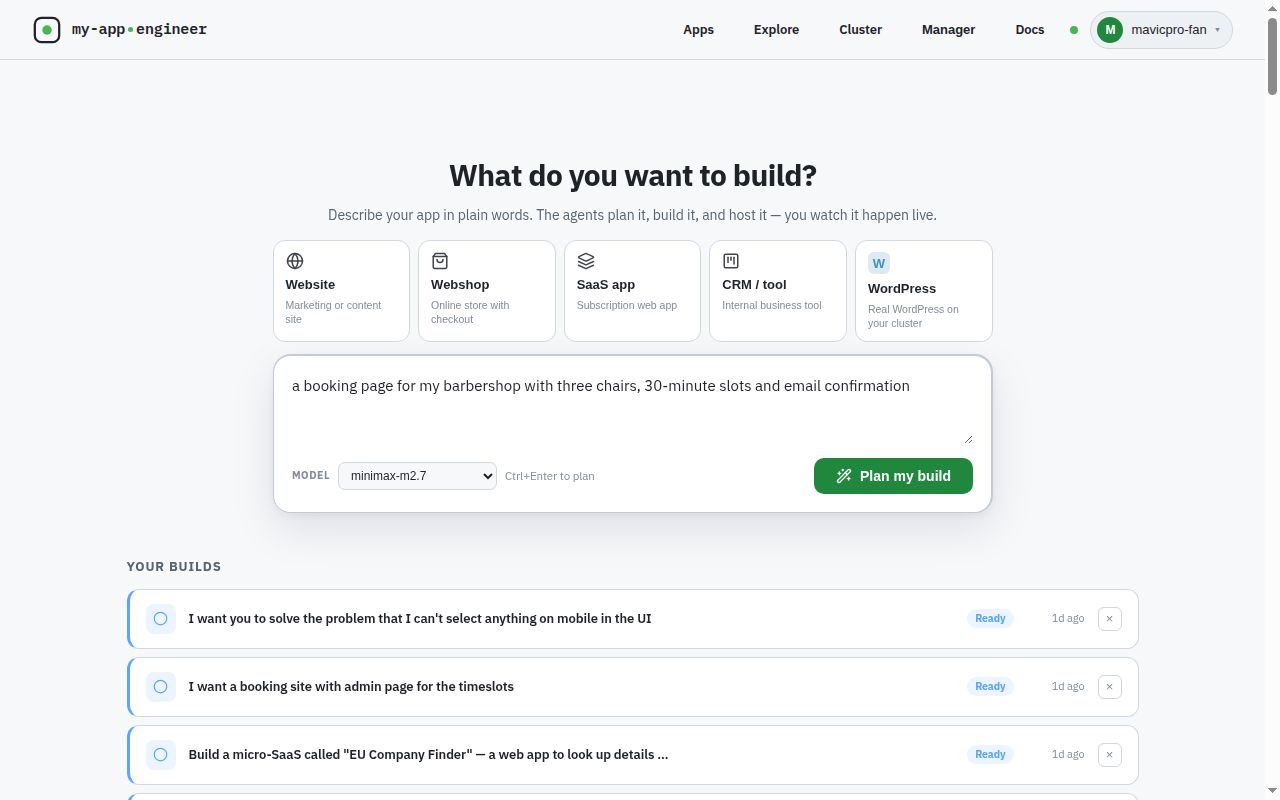
MODEL picks which model plans the build — or bring your own OpenRouter key or Ollama endpoint, and nothing is metered at all. Ctrl+Enter is the same as pressing Plan my build.The composer can be filled from a link, which is how the example above was opened. Note that the query string lives inside the hash — the builder is a hash-routed app, and ?prompt= before the # is ignored:
https://<your-username>.my-app.engineer/#/?prompt=a%20booking%20page%20for%20my%20barbershopOpen this example in your own builder → If you are signed in it goes straight to your composer; if you are not, the idea is kept and carried through sign-up for you.
3. Edit the blueprint
Plan my build is one model call and it builds nothing. It returns a blueprint: the capabilities the app needs, chosen from the platform's real catalogue, each with a one-line reason. Everything on it is a control you can change before anything is written.
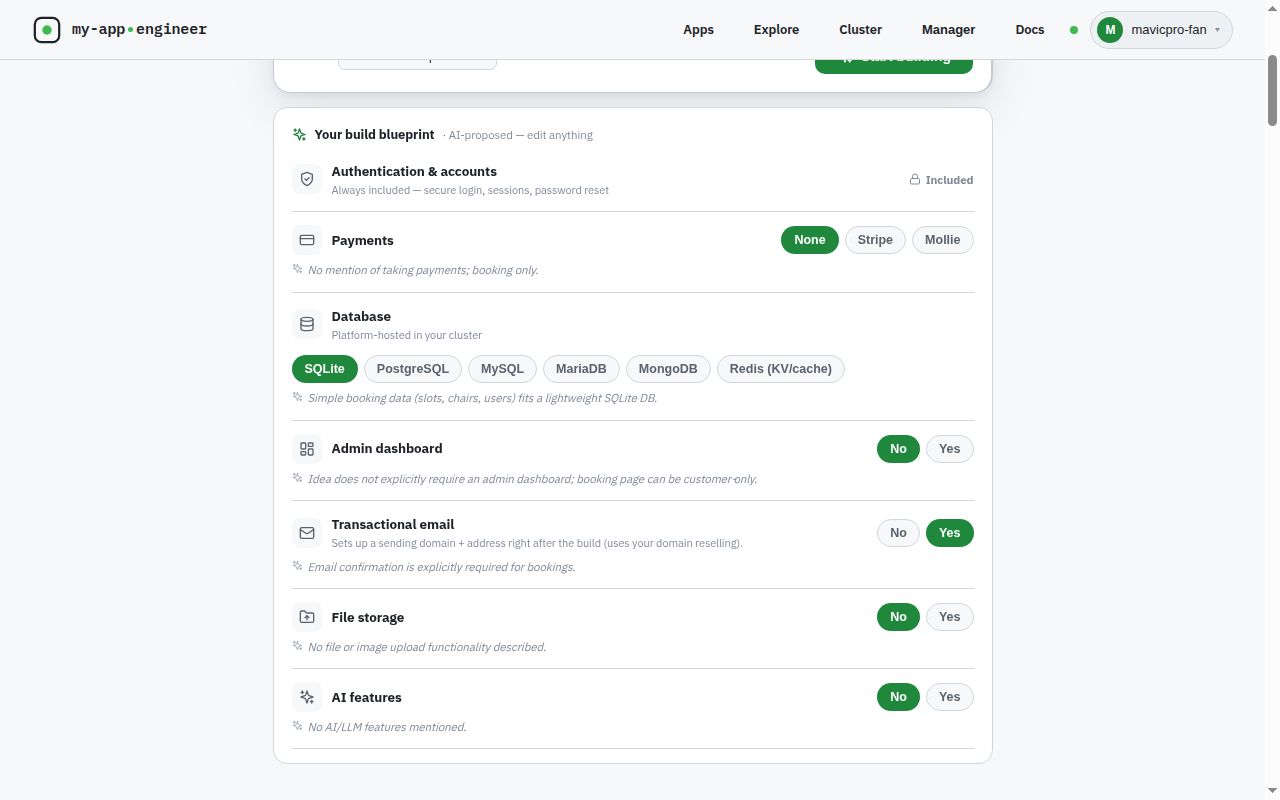
| Row | Options | Who decides |
|---|---|---|
| Authentication & accounts | Always included — login, sessions, password reset | Nobody. The row is locked. |
| Payments | None · Stripe · Mollie | Proposed, editable |
| Database | SQLite · PostgreSQL · MySQL · MariaDB · MongoDB · Redis | Proposed, editable — but never off |
| Admin dashboard | Yes / No | Proposed, editable |
| Transactional email | Yes / No | Proposed, editable |
| File storage | Yes / No | Proposed, editable |
| AI features | Yes / No | Proposed, editable |
Two things the blueprint deliberately does not do. It never decides whether you have user accounts or a database — both are always on, so the model only picks the engine. And it cannot invent an option: the reply is validated back against the catalogue, so a model that hallucinates a payment provider is rejected rather than handed to a builder agent.
If the model cannot be reached, you get SQLite and nothing else, with a message saying so. The idea is not lost and the build still works — you adjust the defaults by hand and carry on.
The blueprint is folded into the manager's build direction, not into the app's name. Your app is still called what you called it.
4. Approve, and watch it build
Start building creates the build and opens its own page at #/build/<id>, which is a normal bookmarkable URL. The page is two panes:
- Manager chat on the left. It has its own model picker and three tools — a browser, web search, and your cluster. This is where it asks you things, and where you ask for changes later.
- Live build on the right. Until the manager hands the work to a developer agent it says Not building yet, which is the honest state and not an error. Once the app is running, the preview opens there and refreshes as the agents work.
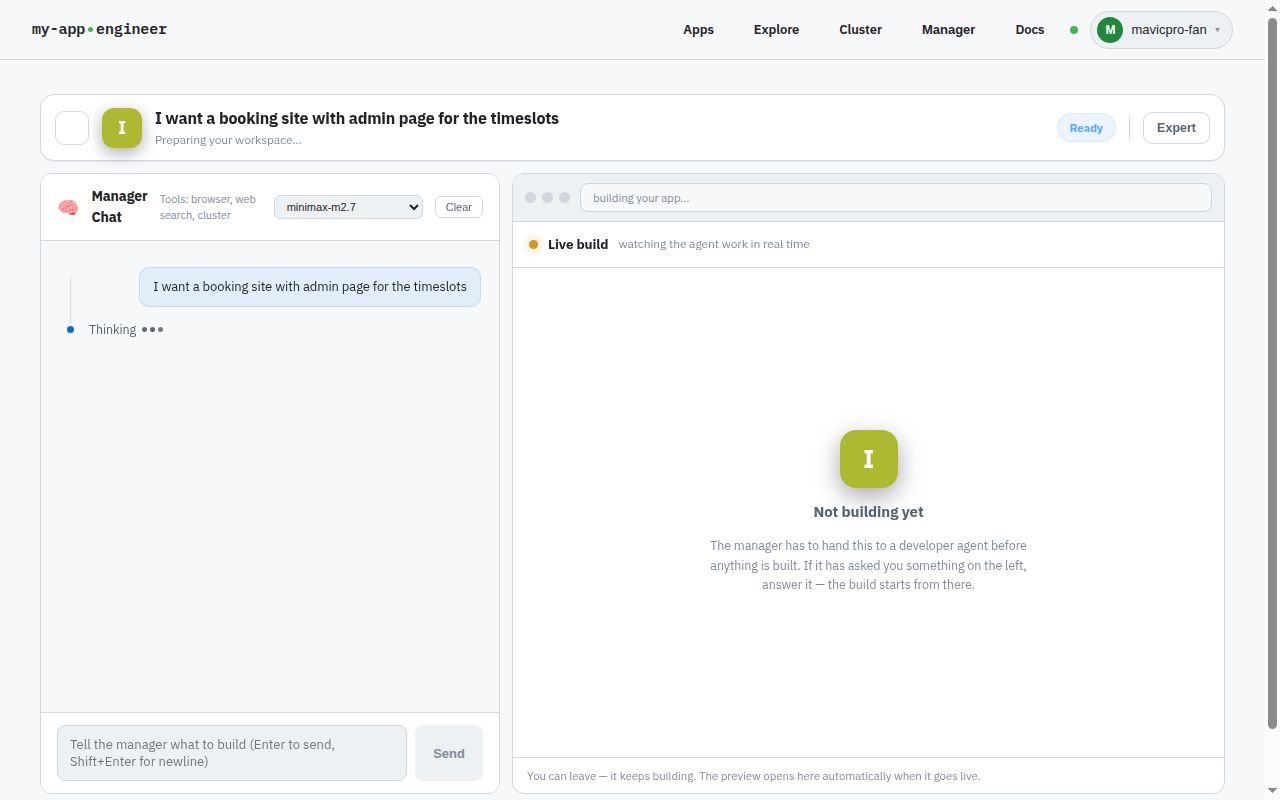
A first build usually takes several minutes and depends on how much you asked for. Ask for changes in the same chat afterwards; each change is a new build against the same app.
Three builder URLs worth knowing:
| URL | What it opens |
|---|---|
#/build/<id> | That build's chat and live pane. |
#/app/<app-name> | The build that produced an app, looked up by the app's name — this is what the dashboard's "Edit in agent" uses. |
#/classic | The Manager console: every build and app in one list, without the chat. |
5. Open it — and look underneath
Your apps on the dashboard lists everything you have deployed. Each card carries the app's type and port, its URL, whether it is live or still starting, and two ways in: Open for the running app and App hub for its repo, logs and settings. The row above the cards names the GitOps engine and the commit your cluster is currently synced to.
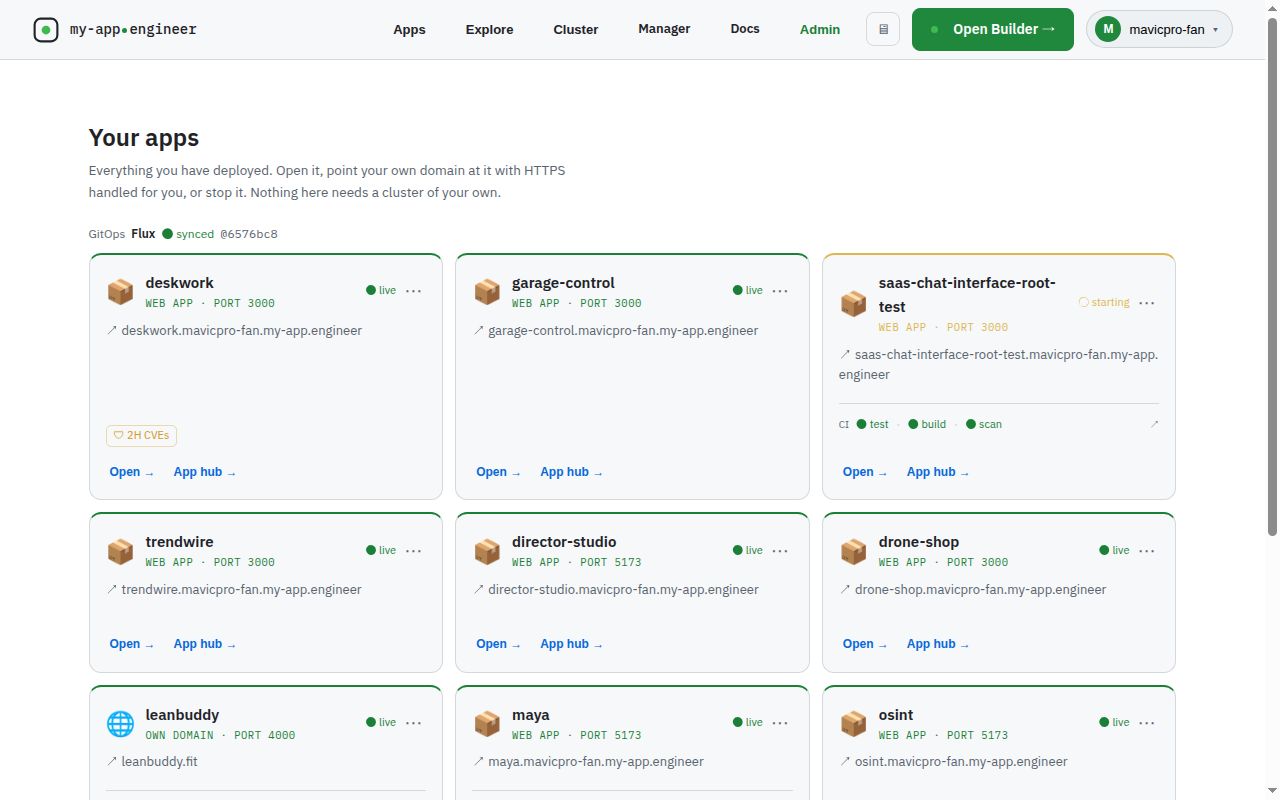
leanbuddy is on its own domain rather than a subdomain; saas-chat-interface-root-test is still starting, with its test, build and scan stages shown. The amber badge on deskwork reports two high-severity CVEs found by the image scan.From Cluster you can:
- download a kubeconfig (
my-app.kubeconfig) and pointkubectlat your own control plane. The credential expires on its own and can be re-downloaded at any time — see Your cluster; - install cluster tools such as the Kubernetes Dashboard, Grafana or Velero — see Cluster tools;
- add your own hardware over Tailscale, or rent a machine from the catalogue — see Nodes;
- point a custom domain at any app; the certificate is issued and renewed for you.
$ export KUBECONFIG=~/Downloads/my-app.kubeconfig
$ kubectl get pods
NAME                          READY   STATUS    RESTARTS   AGE
barbershop-7d9c4b8f6-x2kq9    1/1     Running   0          3m
barbershop-db-0               1/1     Running   0          3m
What the trial gives you
14 days, no card, nothing crippled and your apps stay awake the whole time.
| Trial | |
|---|---|
| Apps | 2 |
| CPU | 0.5 vCPU |
| Memory | 1 GB |
| Storage | 10 GB |
| Built-in AI | 50 messages |
| Your own model key | Unmetered — the allowance does not apply |
| Card | Not asked for |
Bring your own OpenRouter key or Ollama endpoint and the message allowance does not apply at all, because the platform is not paying for those tokens. Plans and billing has the paid tiers and says exactly what happens on day 15.
Where everything lives
| Link | What it is |
|---|---|
| my-app.engineer/#apps | Your deployed apps. |
| my-app.engineer/#cluster | Nodes, workloads, tools, the kubeconfig. |
| my-app.engineer/#explore | Apps other people built here and chose to publish. |
| my-app.engineer/#settings | Account, domains, publishing. |
| my-app.engineer/workspace | Your plan, the trial clock, billing. |
| my-app.engineer/rent | The machine catalogue, at the live list price. |
<you>.my-app.engineer/ | Your builder. |
Something here out of date, or missing? Email hello@my-app.engineer — a person reads it.